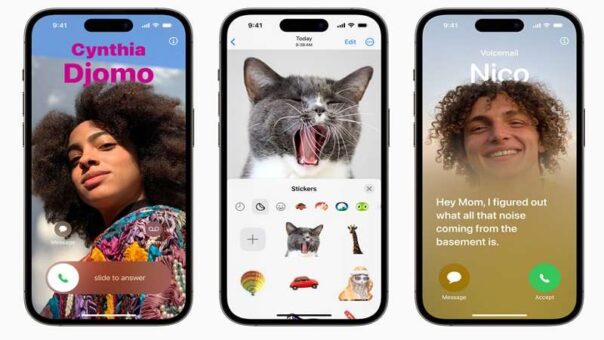
Apple has officially released iOS 26.2 and iPadOS 26.2 for supported iPhone and iPad models, delivering a range of useful quality-of-life improvements and new features.
The latest updates focus on customization, productivity, and regional enhancements, making everyday tasks smoother for users across Apple’s ecosystem.
With iOS 26.2, Apple introduces a new option that allows users to trigger an alarm when a reminder is due. This feature ensures important tasks are harder to miss, especially for time-sensitive reminders. Another notable addition is the ability to adjust the opacity of the time displayed on the lock screen, giving users more control over personalization and readability.
AirDrop functionality has also been improved in iOS 26.2, promising faster and more reliable file sharing between Apple devices. Meanwhile, the Podcasts app receives new features aimed at enhancing discovery and playback, although Apple has not detailed every minor tweak included in the update.
One of the more significant changes arrives for users in the European Union, where Live Translation now works directly with AirPods. This expansion makes real-time translation more accessible and practical for travel, conversations, and multilingual environments. Additionally, Apple has added support for alternative app stores and third-party voice assistants in Japan, aligning with regional regulations and expanding user choice.
On the tablet side, iPadOS 26.2 continues Apple’s push toward more powerful multitasking. Users can now drag and drop apps from the Dock, Spotlight Search, or the App Library into different views. Dragging an app to the far left or right activates Slide Over mode, while placing it to the left or right opens a tiled multitasking view. Dropping an app in the center launches it in a resizable window, with clear visual indicators guiding placement.
Both iOS 26.2 and iPadOS 26.2 are rolling out globally and should be available to download immediately. Users can manually check for the update by navigating to Settings > General > Software Update on their devices.